 Governance
Named Conditions, tested Actions, verified AI answers, protected secrets — and a tamper-proof record of everything that happened.
GovernanceNamed Conditions, tested Actions, verified AI answers, protected secrets — and a tamper-proof record of everything that happened.
Comprehensive battle-tested no-code logic library for enterprise automation.
appRules delivers an extraordinary depth of pre-built, configurable Actions and Conditions that handle virtually any business scenario—from the elegantly simple to the deeply complex—all through intuitive, point-and-click configuration. No scripting. No custom development. Just results.
Read the white paper: Conditioned by Design →
Read the white paper: The Authority Layer →

Call web services, execute sub-workflows, send email, manage state, write audit logs, and invoke AI—all composable operations that chain together into powerful agentic automation sequences.

A complete set of source and target lifecycle controls—initialize, read, map, save, delete, commit, and rollback—giving workflows full transactional control over every record across every connected system.

A full Excel-compatible financial function library, comprehensive math and trigonometric operations, and calendar- and fiscal-aware date functions—enterprise computation built directly into your workflows.

Extensive string transformation and validation, complete file and folder management, and infrastructure conditions that bring operational awareness—host availability, service status, disk utilization—directly into workflow logic.

When built-in operations aren't enough, Custom Actions and Conditions—Script, Expression, Function, and Composite—let developers extend the platform without disrupting the no-code experience for everyone else.

Configure Actions: Select from a rich categorized tree, name your instance, and configure typed properties—here, the AMORDEGRC financial depreciation function with its Basis, Cost, Rate, and Date parameters

Configure Conditions: Point-and-click configuration with structured property groups—here, IsFileExtensionComparisonTrue with operator, case sensitivity, and comparison value, all without writing a line of code

Model Cross-Validation: Multiple AI models reach consensus through intelligent validation—like a panel of expert consultants ensuring every decision is trustworthy

SmartPrompt Builder Model Cross-Validation: Configure multiple AI models, consensus rules, and validation criteria through an intuitive interface
Transform AI from experimental to mission-critical with multi-model consensus validation that builds trust through intelligent agreement.
When accuracy matters most—in financial analysis, medical diagnostics, regulatory compliance, or public sector decision-making—a single AI model's opinion isn't enough. appRules.AI Model Cross-Validation simultaneously deploys multiple AI models, analyzes their responses, detects outliers, and builds consensus—delivering results you can trust with enterprise-grade confidence.
Just as critical business decisions benefit from multiple expert opinions, Model Cross-Validation leverages diverse AI perspectives to eliminate bias, catch errors, and ensure accuracy—automatically flagging disagreements and outliers before they impact your business.
Deploy 2 to 10+ AI models simultaneously for any task. Configure which models participate and define consensus criteria—all through an intuitive no-code interface.

Advanced algorithms automatically identify when a model's response significantly deviates from consensus. Outliers are flagged, logged, and can trigger custom workflows—ensuring anomalies never go unnoticed.

Define exactly what counts as agreement: the most common result, unanimous agreement, or confirmation of a primary model — or route to a custom activity. Specify in advance how deadlocks are resolved — complete control over your validation strategy.
When models disagree, predefined rules decide what happens next — defer to the primary model, return a specific value, return Invalid (False) as a fail-safe, or run a custom activity — so mission-critical processes never stall and never guess.

Track consensus rates, identify frequently divergent models, analyze agreement patterns, and monitor confidence scores over time. Data-driven insights help refine your AI strategy and optimize model selection.

All configuration happens through visual tools—no programming required. Drag, drop, configure consensus rules, and deploy. Transform experimental AI into production-grade systems with the reliability your business demands.
When you need it, any record holding sensitive information — a credential, a connection, a user account — can be locked down the same way, everywhere it appears. One Secure button, no exceptions.
Enterprise platforms often treat security as an afterthought, bolted onto a handful of high-risk screens. appRules takes the opposite approach: the same Secure control appears on workflow activities, data source connections, data source metadata, AI assets and APIs, environment settings, user accounts, actions and conditions, and workflow details alike — because a sensitive record in any one of them deserves exactly the same protection. Click Secure, and that record locks down: only someone with the right credential can view or edit it — everyone else simply doesn't see it. It isn't a separate security product to configure — it's a standing capability of the platform itself, one click away on nearly everything you touch.

Workflow activities, data source connections, data source metadata, AI Settings, Environment Settings, Users, Actions & Conditions, and Workflow Details can all be secured the same way — the same access control, applied the same way, on any record that needs it.

Once a record is secured, only someone with the right credential can view or edit it — everyone else, including other authenticated users, simply doesn't see it.

A secured record stays locked until the right credential unlocks it — simple to apply in one click, with nothing to configure and no permissions list to maintain.

Secure isn't a bolt-on module or a different admin console — it's the same button, using the same access control, wherever appRules asks you to protect something sensitive.
One Secure Button, Everywhere It Matters
Secure Workflow Activity
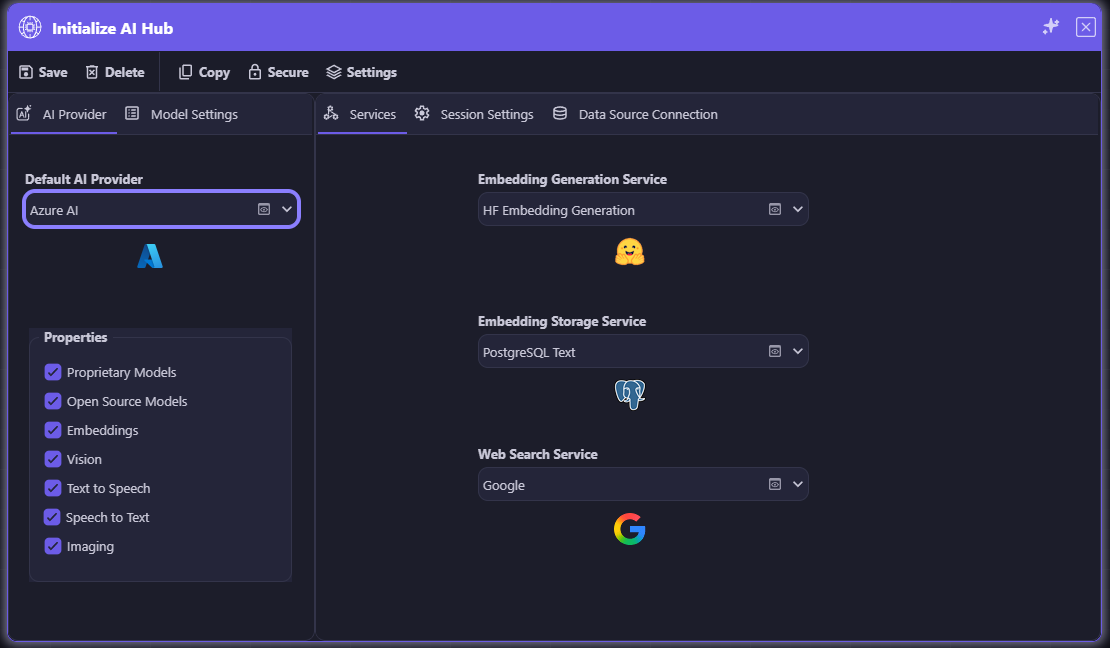
Secure Data Source Connection
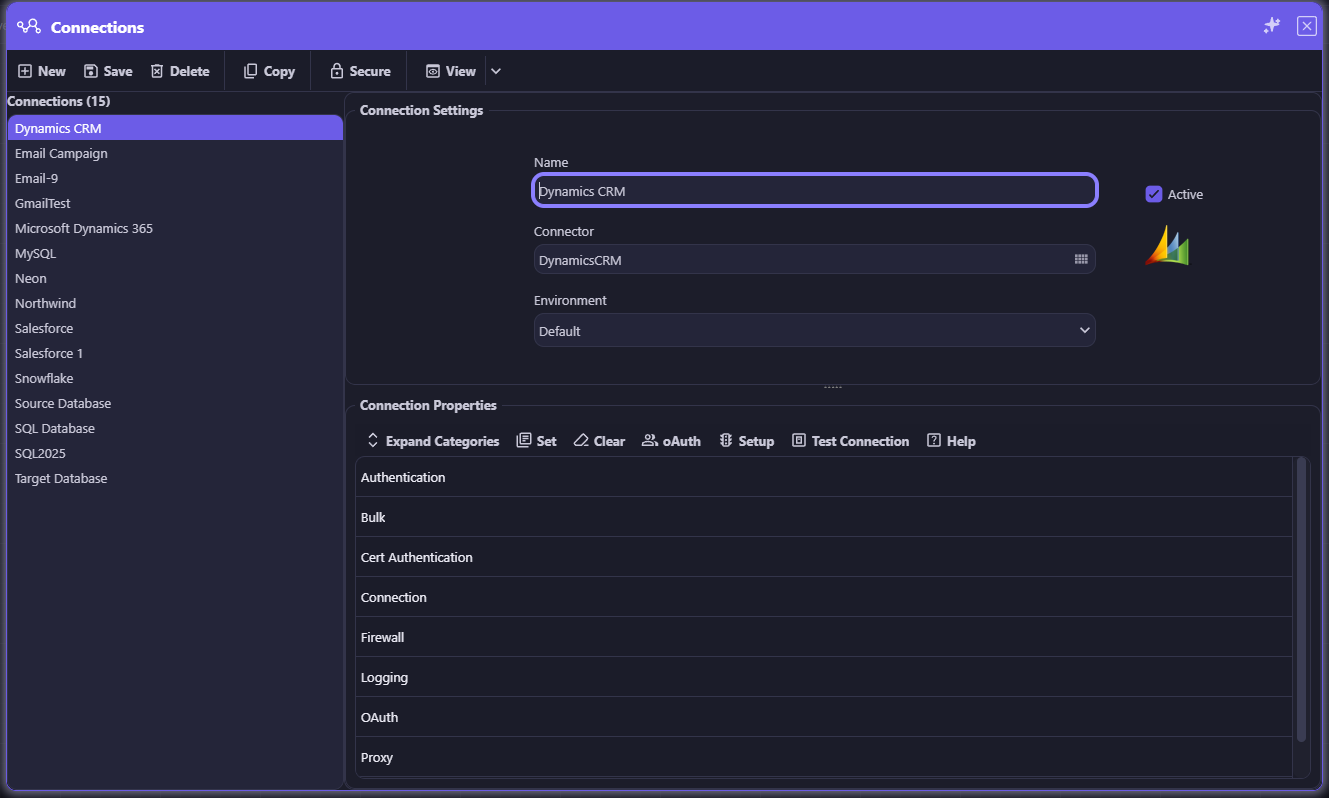
Secure Data Source Metadata
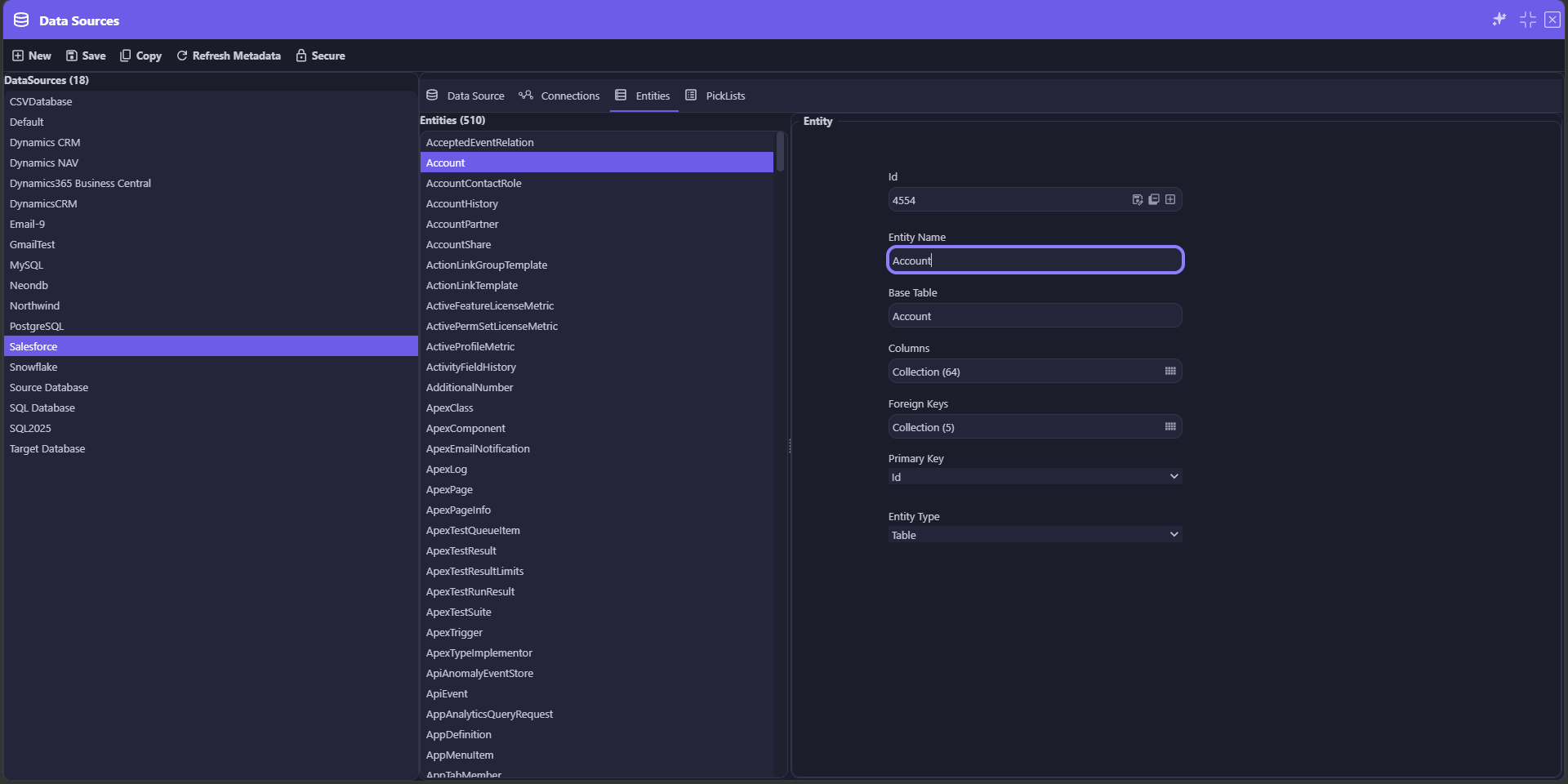
Secure AI Asset
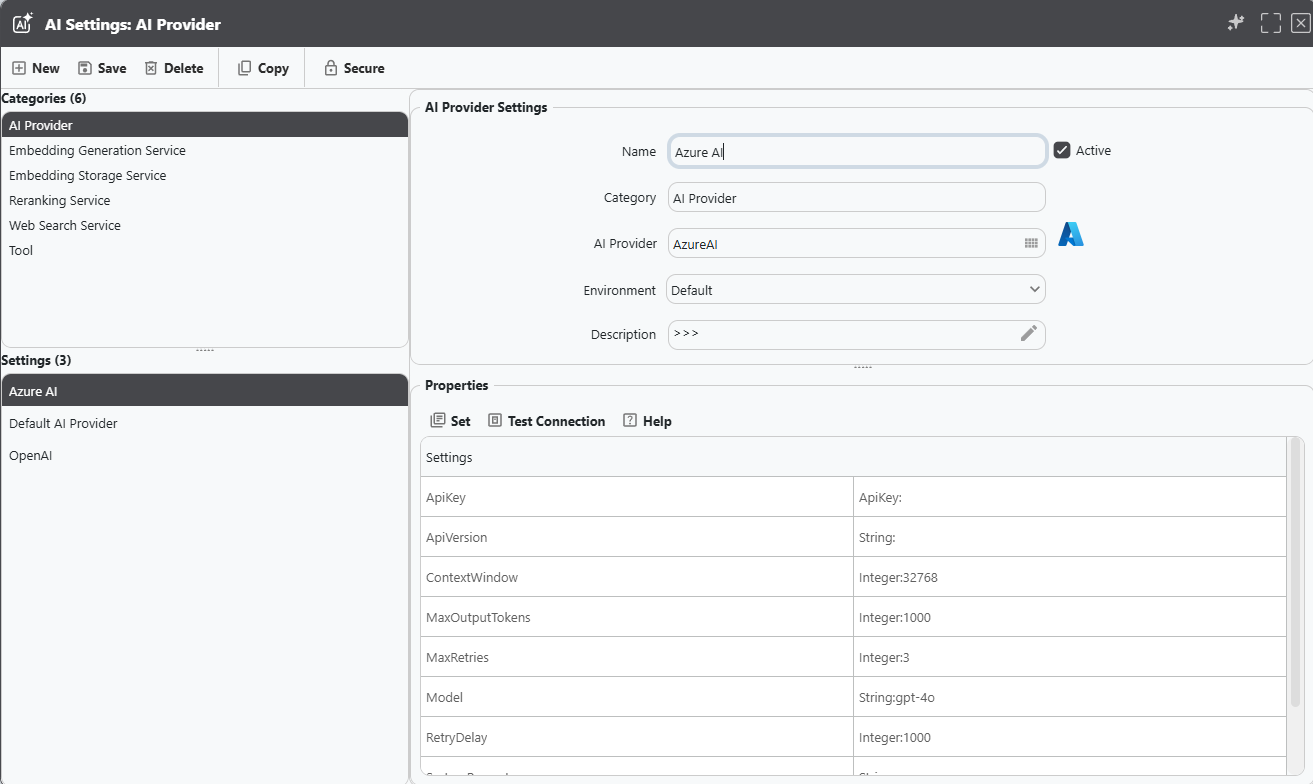
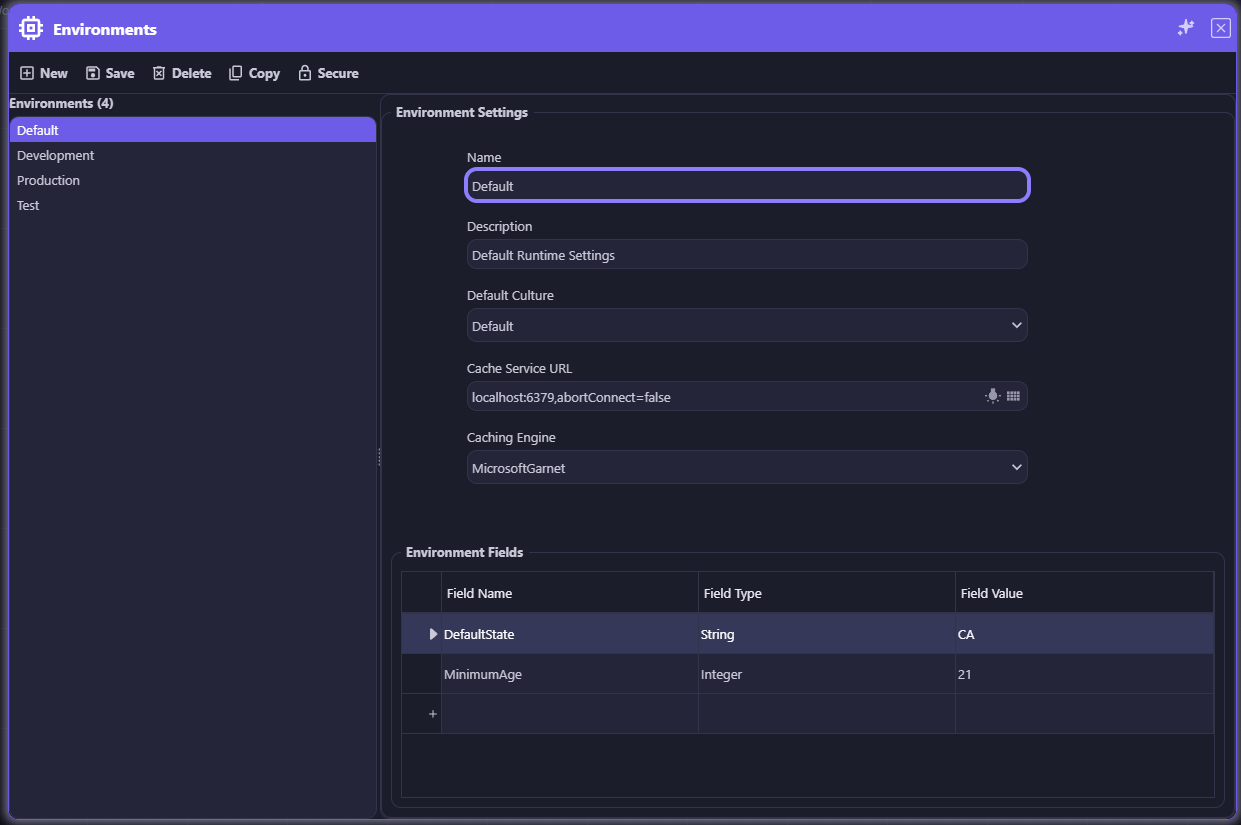
Secure Environment Settings
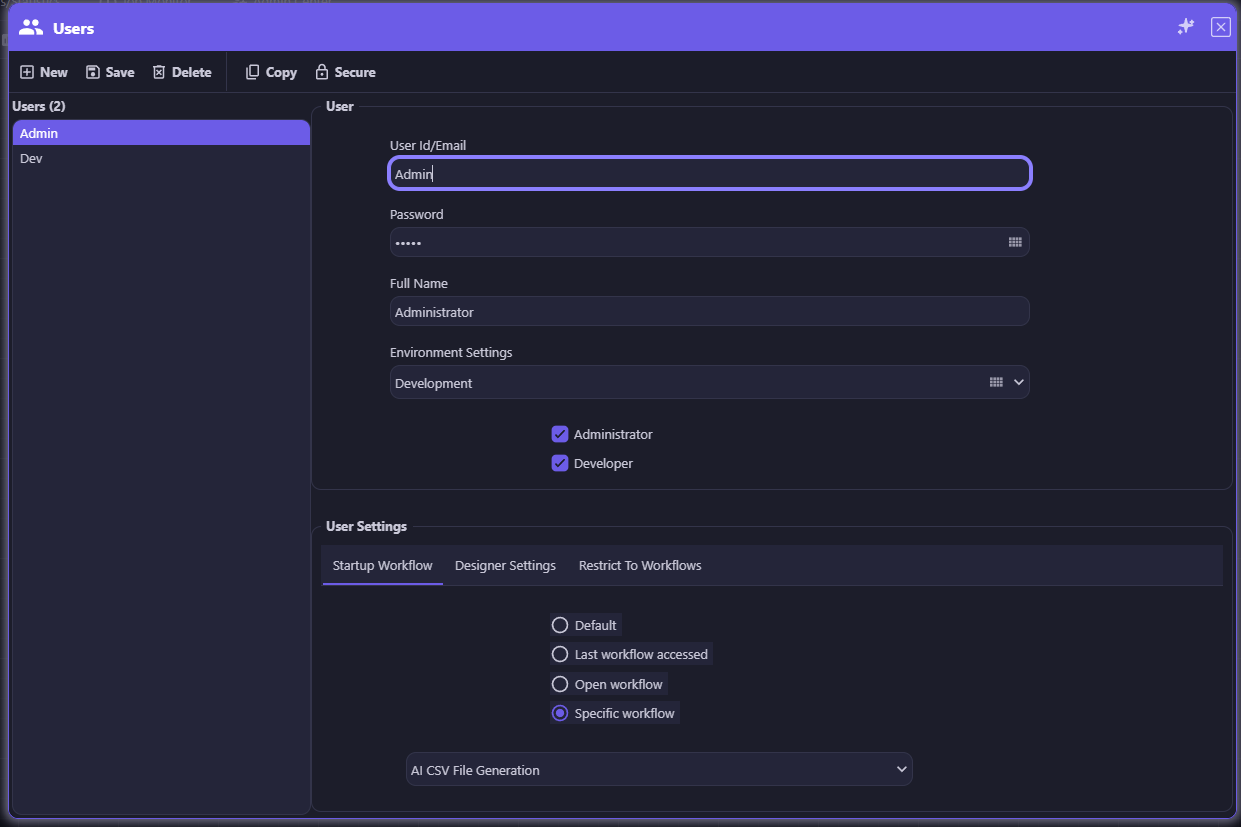
Secure User Settings
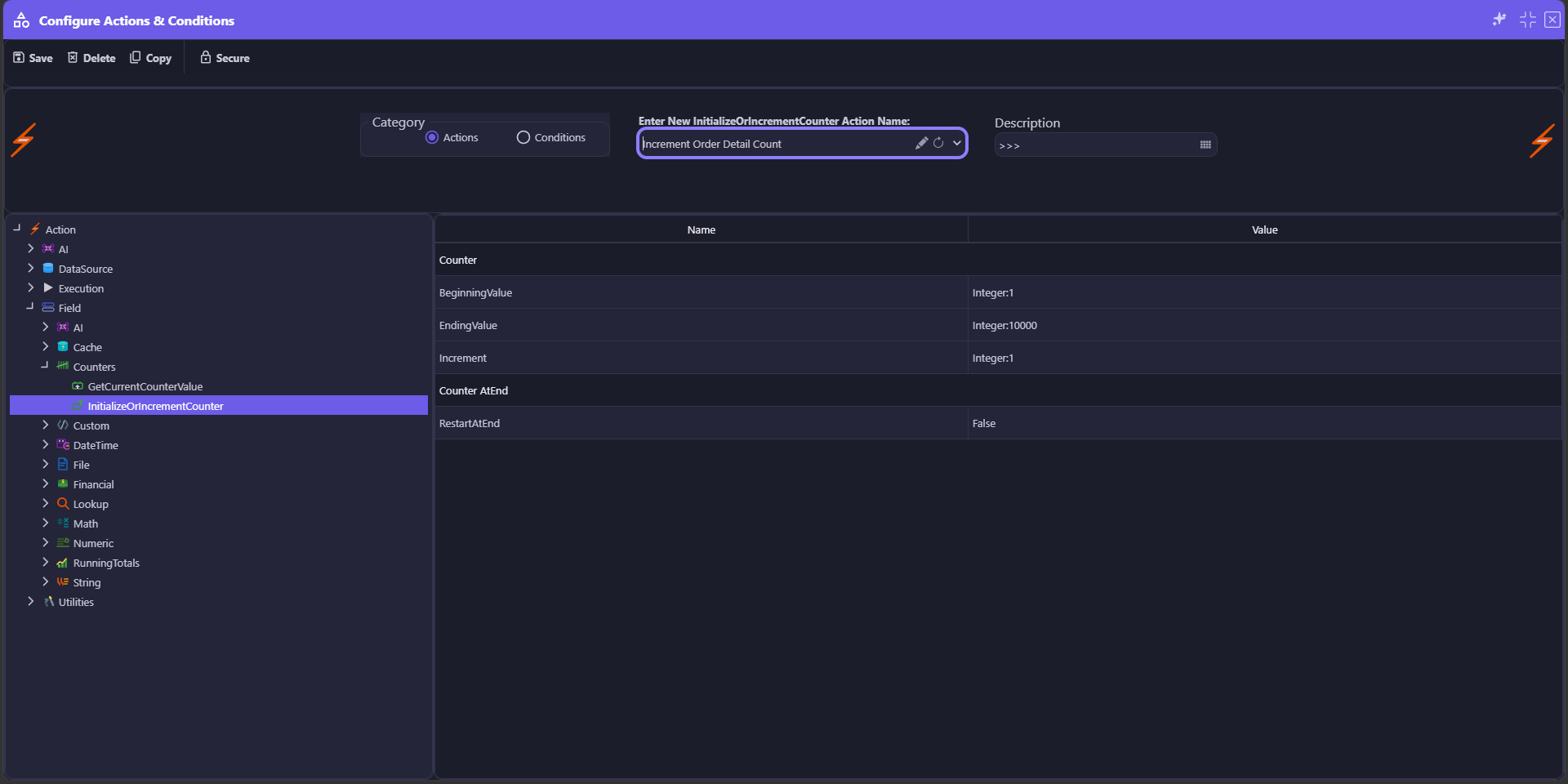
Secure Actions and Conditions
Secure Workflow Details
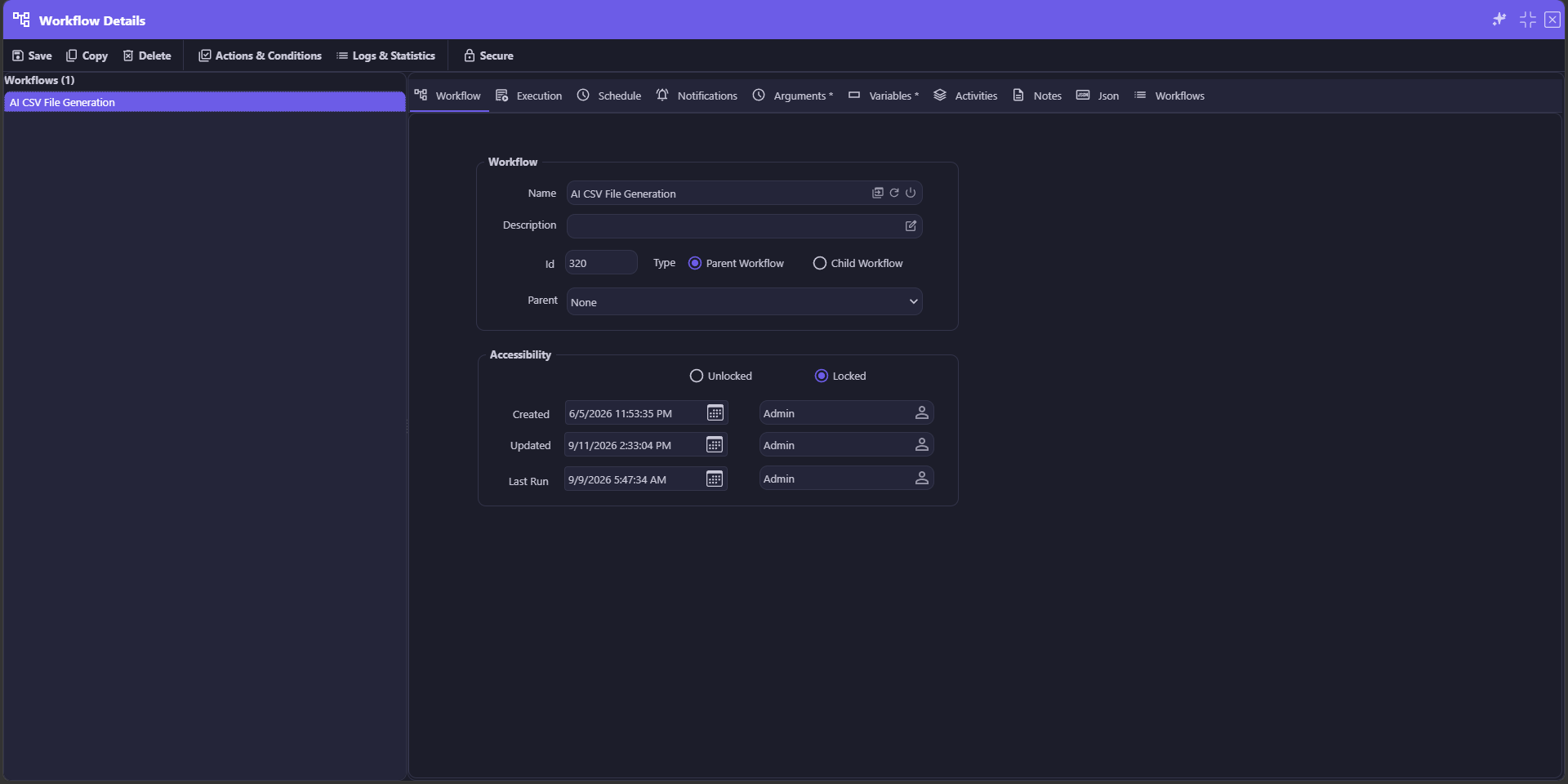
The same Secure button, the same protection — on a workflow activity, a data source connection, data source metadata, an AI asset, environment settings, user settings, actions and conditions, and workflow details. Click any screen to enlarge.
Secure and GuardRailing Work Together
Secure controls who can see or change a design-time record or metadata — locking sensitive workflow activities, connections, data source metadata, and settings until the right credential unlocks them. GuardRailing governs what can be built and what an AI can do. Together, they cover both halves of enterprise trust: nothing sensitive is seen or changed by the wrong person, and nothing is built or run unchecked.
360° visibility into every workflow run. Nothing is a black box — every AI call, data operation, condition, and action is captured, timestamped, and ready to review.
As your workflow runs, appRules logs every interaction with AI Providers, Data Sources, Actions, Conditions, Arguments, Variables and the Runtime engine itself. The Workflow Run Logs & Statistics viewer surfaces the complete history for every instance in one place: browse every run with its start and end time, elapsed time, current state, and completion status, then drill into seven dedicated statistics tabs for a forensic-level view of exactly what happened. Every table exports straight to CSV for ad-hoc reports, so operations teams, auditors, and developers all work from the same governed source of truth.

Every workflow run is captured as an instance record — start time, end time, elapsed time, current state, completion status, who ran it and when, and whether generated files still exist. Reload any historical run and drill straight into its statistics.

Execution counts for every workflow activity: how many times it ran, how many executions were valid versus invalid, how many were skipped or skipped on condition, how many threw exceptions, and elapsed time totals for performance tuning.

Every read, insert, update, delete, and skip against every connected data source is counted per activity, alongside any errors encountered — a complete audit trail of exactly how your workflow touched enterprise data.
Track every AI provider call by activity — total calls, input and output token consumption, the model settings used, and the finish reason for each response. See exactly how much of your AI budget each activity is consuming, model by model.

Every condition evaluated during the run is logged with total executions and a breakdown of how many evaluated true versus false — turning your business logic into measurable, auditable statistics instead of a black box.
Every action execution is tracked with total executed counts and a valid versus invalid breakdown, so you can immediately identify actions that are failing validation before they become a production issue.
Follow every workflow variable from its starting value through to its current value at the moment of logging — essential for debugging complex data transformations and multi-step AI reasoning chains.

Detailed, timestamped runtime log entries — by activity, entry type, and message ID — capture the raw execution narrative of the workflow, the definitive source of truth when you need to know precisely what happened.

Workflow Run Logs & Statistics: instance history alongside AI Model Statistics — total calls, input/output tokens and finish reason for every AI activity

If It Ran In appRules, You Can See It
From AI token consumption to the last runtime log entry, appRules gives you a governed, exportable, 360° record of every workflow execution — the observability enterprises need to trust, troubleshoot, and continuously improve their automation.

Design workflows visually, build prompts from real context, and orchestrate AI step by step — in no code, low code, or source code.
Explore Design & Build →
Every leading AI provider, ready-made and custom agents, enterprise knowledge, and governed access for AI assistants.
Explore AI & Agents →
Every system, every data source — with full read/write connectors driven by one metadata model.
Explore Connectivity & Integration →Run at enterprise scale, with full control over every job, every project, and every deployment.
Explore System Operations →Deploy intelligent, autonomous workflows that deliver results